Turn buying questions into checkout-ready conversations.
Put Sellbot AiML on your storefront to answer product questions, recommend in-stock items, and route the hard conversations into a real operator panel. It is built for merchants who need sales coverage, not a generic support bubble.
Shopify-native setup
Install, sync the store, and enable the app embed without custom code.
Policy-aware answers
Pull in approved policy URLs and summaries so the bot stays inside merchant-approved guidance.
Real panel handoff
When the chat should escalate, the panel queue and notifications take over immediately.
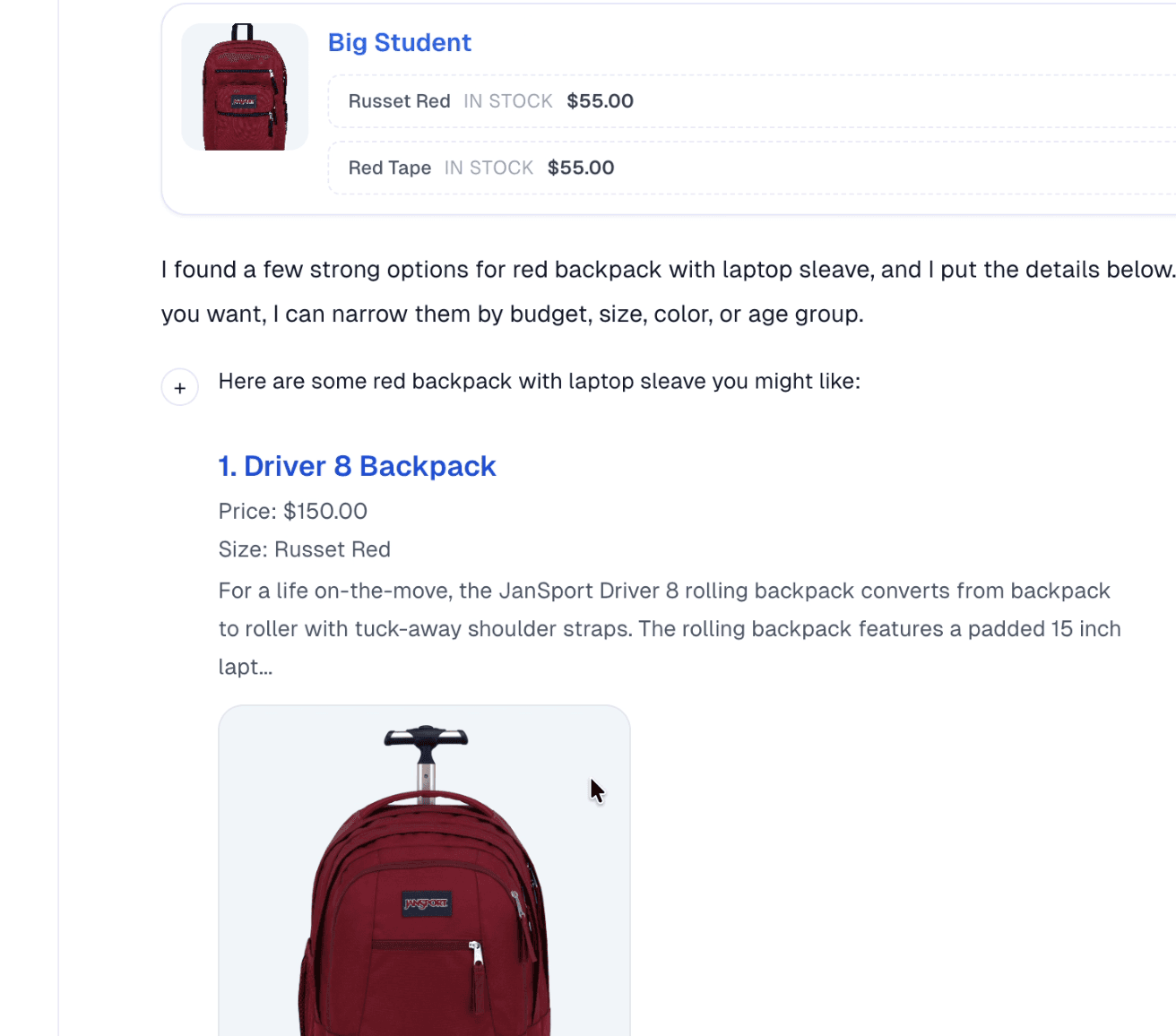
Storefront conversation
What the shopper sees on your site
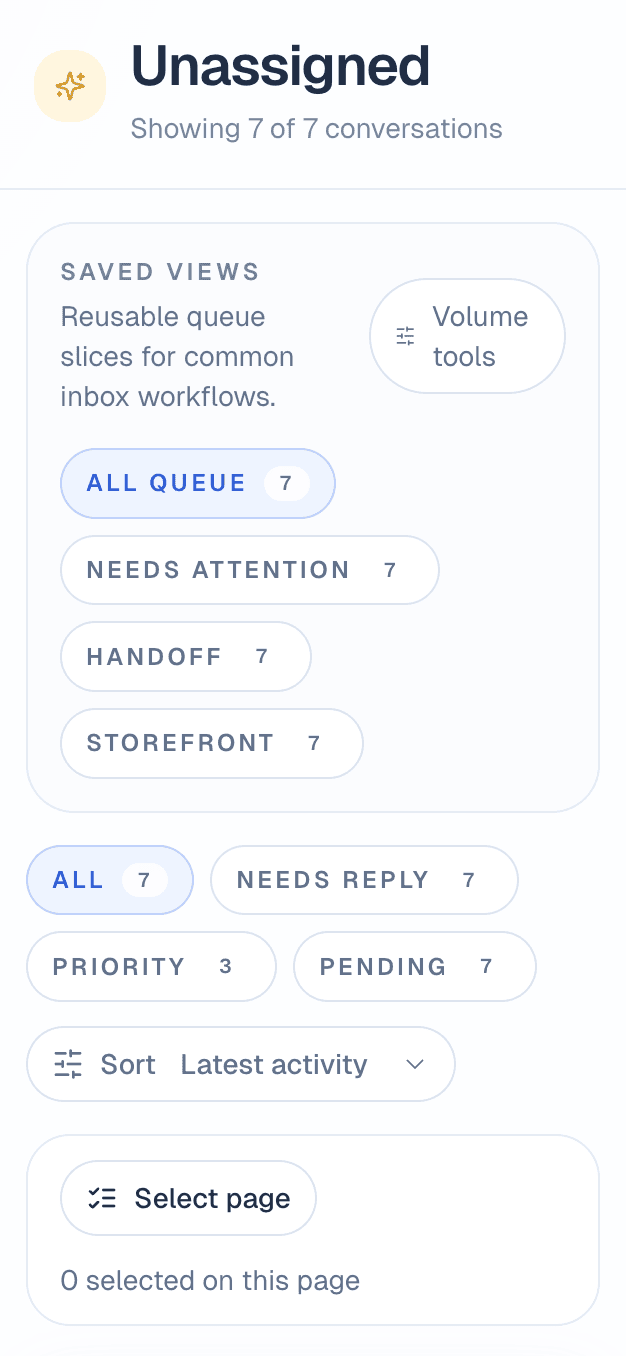
Operator queue
What your team sees after handoff
Answer the questions blocking checkout
SellBot covers sizing, fit, shipping, returns, stock, and product detail with answers grounded in your synced catalog and approved policy context.
Recommend products shoppers can actually buy
The assistant narrows the shortlist, shows the item visually, and keeps the conversation moving toward a real product page instead of a dead-end chat.
Hand off to a human before the sale stalls
When the bot should stop guessing, the conversation moves into the panel queue so a human can reply with context instead of starting from scratch.
Launch sequence
Launch it like a merchant product, not a chatbot experiment
The shortest path to value is clear: connect the store, approve what SellBot can say, then go live with a real panel behind it.
Connect the Shopify store
Install the app, land inside the embedded setup flow, and sync the store so SellBot starts from the real catalog instead of sample data.
Approve the answers and appearance
Review brand voice, policy summaries, logo, and widget behaviour from the panel before the storefront sees anything live.
Go live with human backup
Enable the app embed, preview the storefront, and let the panel queue catch the conversations that need a real operator.
Clear storefront value first, deeper tooling second
SellBot leads with the work that matters most on the storefront: answering buying questions, guiding shoppers toward the right product, and creating a clean path to human follow-up when the conversation needs real ownership.
Storefront answers built to close the sale
SellBot handles the buying questions that slow checkout: sizing, fit, shipping, returns, stock, and product detail.
Recommendations from the live catalog
The assistant works from synced products and approved store knowledge, so recommendations stay tied to what the merchant actually sells.
Human takeover before the sale stalls
Escalations move into a real team inbox with ownership, notifications, and a faster path to manual follow-up.
What makes it different
Sellbot AiML is built around the buying moment, not generic support chat.
It performs best when shoppers are comparing options, checking fit, asking policy questions, or wavering right before checkout. That is where guided recommendations and fast human takeover matter most.
Offline follow-up
When a shopper is gone, your team can continue from the panel and follow up over email.
Merchant control
The panel owns widget appearance, approved knowledge, inbox workflows, and escalation behavior.
The merchant side is not hidden behind the chatbot
Stores can shape the widget, watch escalations hit the queue, and keep operators aware when a shopper needs a human answer. These are real panel screens, not concept art.
Appearance and live chat setup
Merchants can control brand styling, greeting copy, and widget behavior from the panel instead of editing storefront code.
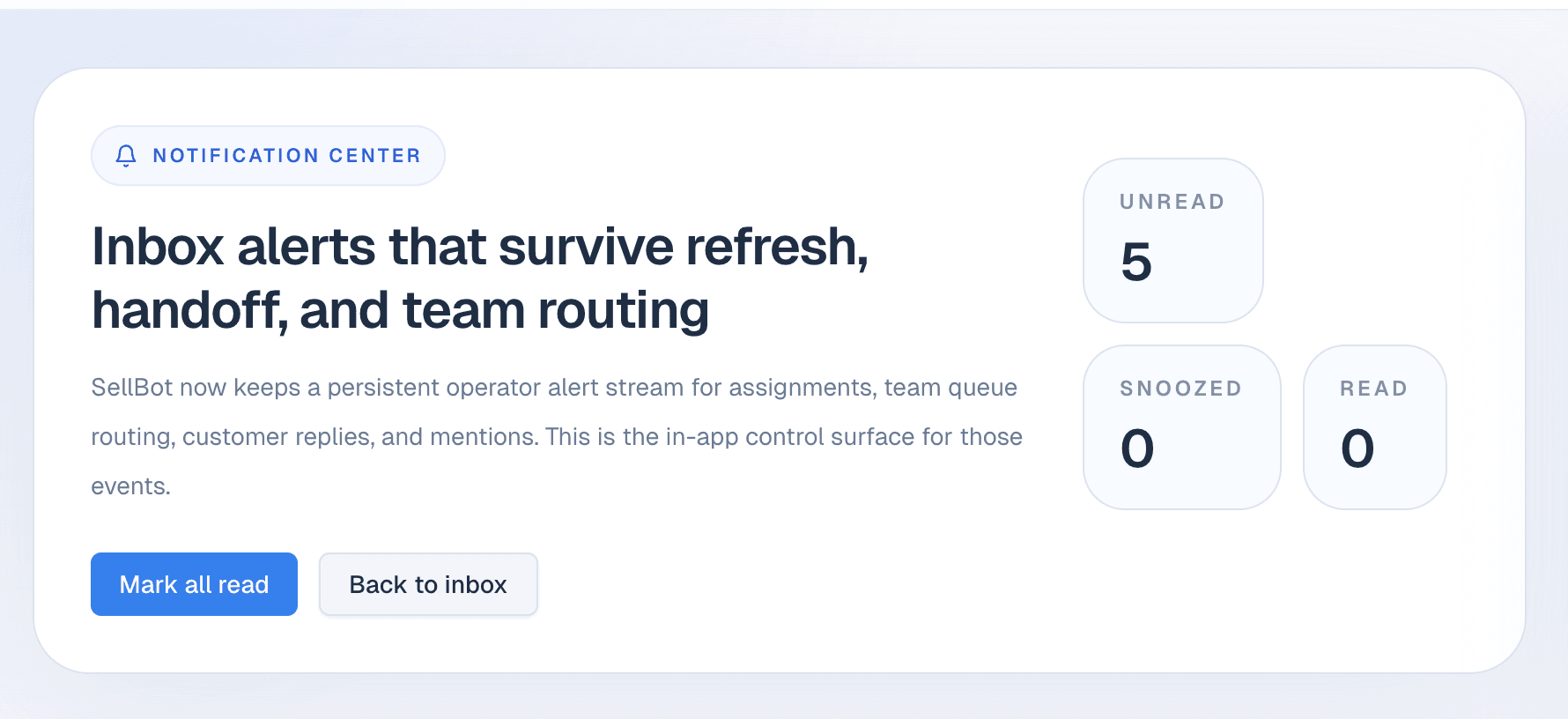
Notifications when human follow-up matters
Handoffs and replies surface inside the notification center so the team can move before a sale goes cold.
Operator queue
Escalated conversations waiting for a human owner
Notification center
Persistent operator alerts for handoff and reply events
Choose Your Plan
Start with a lighter storefront rollout, then move up as product coverage, conversation volume, and team workflows grow.
Free
Best for trial installs and first storefront testing.
- 25 AI conversations/month
- Up to 100 products indexed
- 1 chatbot
- Basic training from products/pages
- Sellbot branding
- Basic analytics + email support
Starter
For smaller catalogs that need a real sales assistant, not just a chat bubble.
- 250 AI conversations/month
- Up to 1,000 products indexed
- Product recommendations
- FAQ answers + order lookup
- Remove branding
- 14-day free trial
Growth
For active stores that want stronger product guidance, richer knowledge, and dependable handoff workflows.
- 1,000 AI conversations/month
- Up to 10,000 products indexed
- Better model quality
- Collections + docs ingestion
- Cart/upsell prompts
- Advanced analytics + priority support + 14-day free trial
Pro
For brands with higher volume, more advanced workflows, and broader team ownership.
- 3,000 AI conversations/month
- Higher accuracy model
- Multi-channel or advanced actions
- Custom onboarding + team features
- API/webhook access
- Priority support + 14-day free trial
Ready to launch
Put SellBot on the storefront and keep the operator panel behind it
Launch the storefront assistant, review the answers in live preview, and give your team a real queue when AI should escalate instead of bluff.
Launch checklist
- Sync products, policies, and storefront context
- Review the widget in the live panel preview
- Enable the app embed and keep human handoff ready
14-day free trial • No credit card required • Cancel anytime